


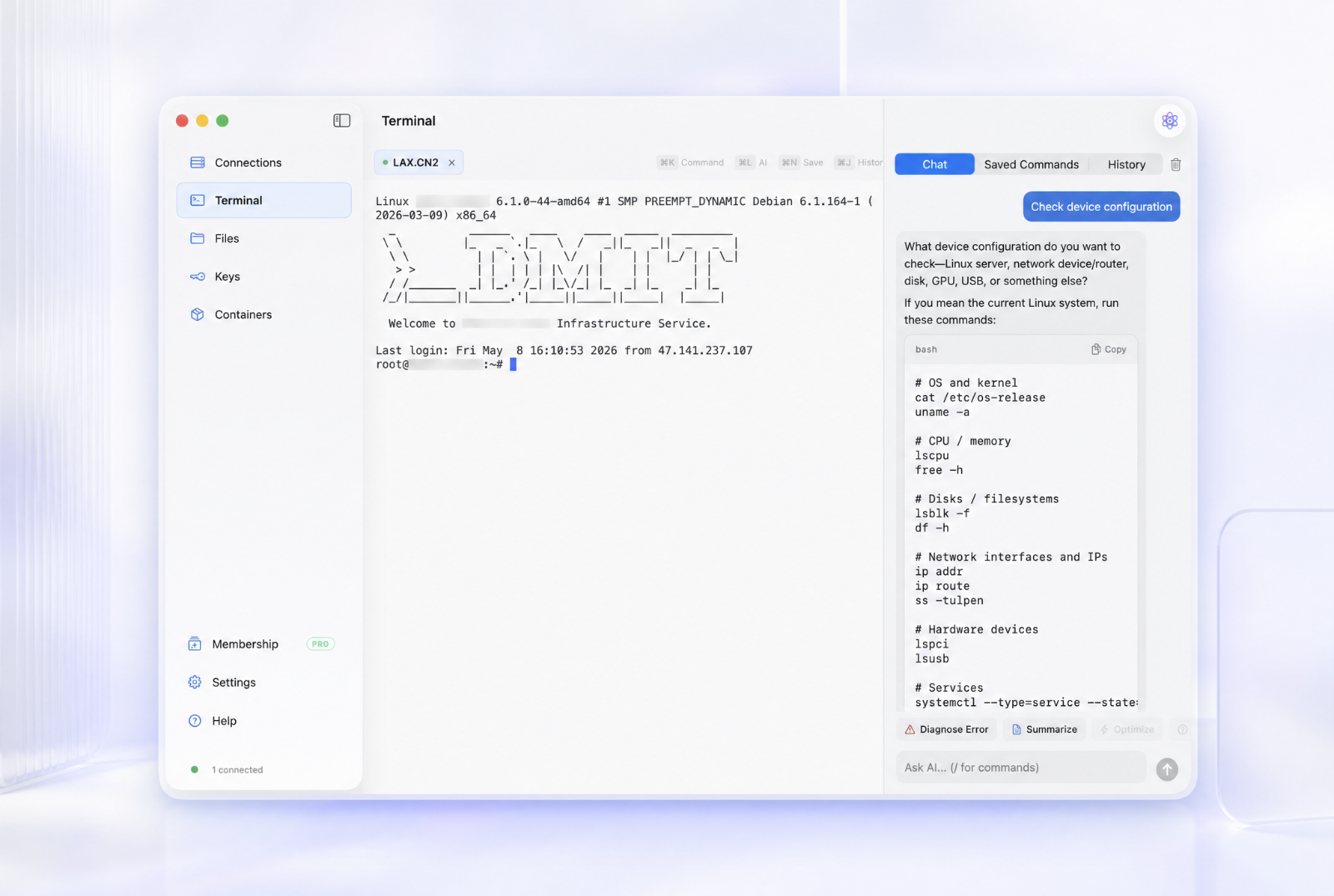
Overview
Nexus Shell is a native SwiftUI app for macOS 14.2 or later on Apple silicon, built for developers and server owners who want everyday SSH work in one focused Mac app.
Use terminal tabs, dual-pane SFTP, SSH key management, Docker management, read-only server and network monitoring, saved commands, and encrypted session logs. An optional Agent Bridge lets supported local AI agents work through visible terminal sessions without receiving saved passwords or private keys. The App Store build omits Agent Bridge because of sandbox restrictions.
Basic SSH is free for personal, non-commercial use. Pro includes a 7-day trial and is currently a $12.88 one-time purchase with no subscription.
Nexus Shell is a native macOS SSH workspace combining terminal tabs, dual-pane SFTP, SSH key management, Docker tools, server monitoring, and encrypted session logs in one app.
Sources behind this listingSee source links, recorded dates and owner corrections.
Observed facts come from public pages. Founder-edited facts are supplied by the verified owner. AI-inferred facts are model interpretations; derived facts are calculated from other data. A source link lets you check the current page. It does not guarantee the fact is still current.
Dates show when a record was saved. Some older records use the listing’s update date; they are not proof of a fresh check. Missing source records are shown explicitly.
- TaglineNative SSH workspace for macOS
- Founder-editedRecorded Source: nexusshell.app
- DescriptionNexus Shell is a native SwiftUI app for macOS 14.2 or later on Apple silicon, built for developers and server owners who want everyday SSH work in one focused Mac app. Use term...
- Founder-editedRecorded Source: nexusshell.app
- Starting priceFree; Pro $12.88 one-time
- Founder-editedRecorded Source: nexusshell.app
- Free planYes
- Founder-editedRecorded Source: nexusshell.app
- Free trialYes
- Founder-editedRecorded Source: nexusshell.app
- SummaryNexus Shell is a native macOS SSH workspace combining terminal tabs, dual-pane SFTP, SSH key management, Docker tools, server monitoring, and encrypted session logs in one app.
- Founder-editedRecorded Source link unavailable
Key Features
- Native terminal tabs with automatic reconnection and customizable keyboard shortcuts.
- Dual-pane SFTP with drag-and-drop transfers, batch operations, and remote file editing.
- SSH key management with safe migration from password login to Ed25519 keys.
- Docker container management plus real-time server and network monitoring.
- Encrypted terminal session logs with search, retention controls, and playback.
- Encrypted iCloud sync for connections, keys, saved commands, history, and preferences.
- Optional Agent Bridge for visible and auditable local AI operations without sharing saved credentials.
Who Is It For
Mac users who manage Linux servers and want SSH, files, monitoring, and Docker in one native workspace.
Anyone who needs Windows, Linux, iPhone, iPad, or Android clients; Nexus Shell is macOS-only.
Strengths & Weaknesses
Recent updates
- Nexus Shell v1.7.9Release
- Nexus Shell v1.7.8Release
- Nexus Shell v1.7.7Release
- Nexus Shell v1.7.6Release
- Nexus Shell v1.7.5Release
Dates are the source's own. Release and feed entries come straight from Nexus Shell's GitHub or changelog; Founder entries are posted by the verified owner.
Classification
Alternatives to Nexus Shell
Community
No comments yet. Be the first to share your experience.