

Overview
InvoicingBuilder is a free invoice builder for freelancers, consultants, and small businesses who want more control over their billing workflow.
Create an invoice from scratch or bring in existing billing data instead of entering everything manually. Data can be imported from time-tracking tools, Notion, CSV, Excel, and Google Sheets, then mapped to the fields you need.
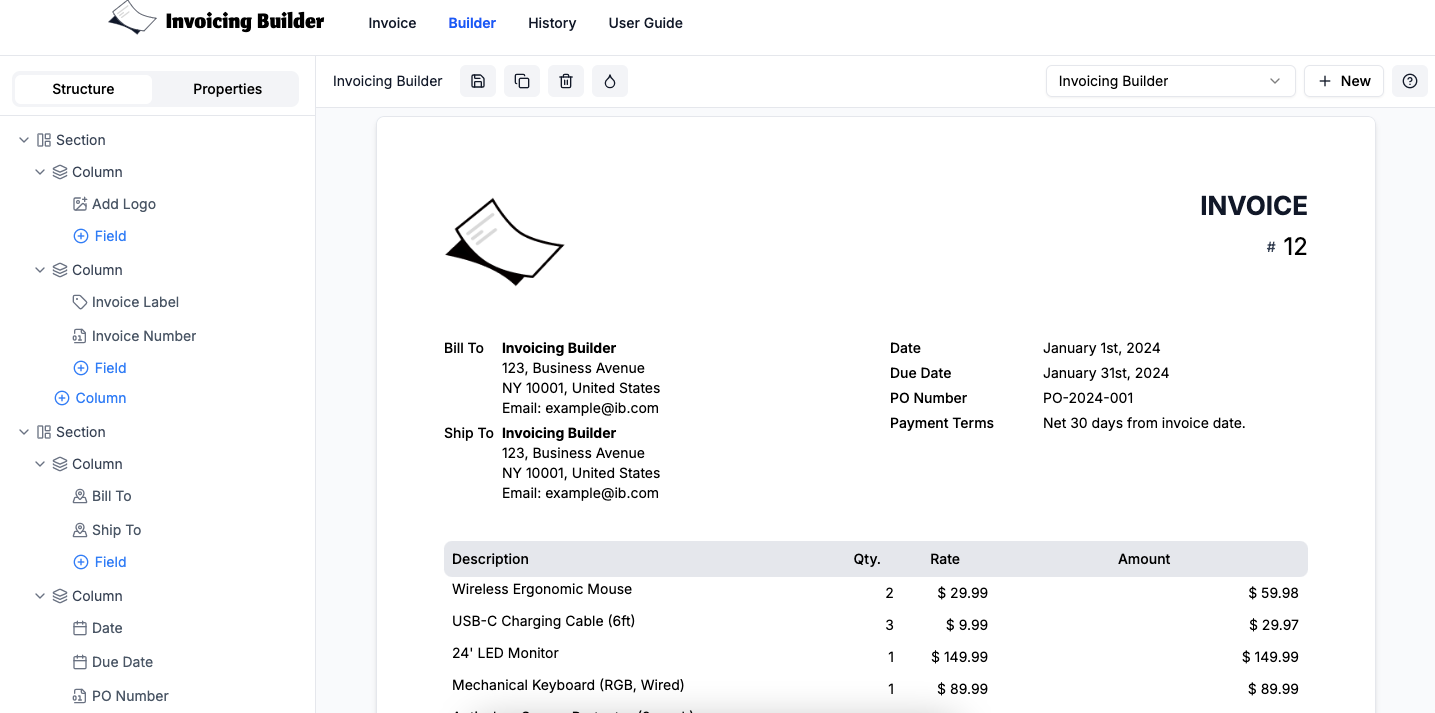
You can customise the invoice layout, fields, branding, currencies, taxes, payment details, and number formats. Tax can be applied to individual line items or to the entire invoice, giving you flexibility for different billing requirements and regions.
When everything is ready, export a professional PDF or share the invoice with your client.
Integrations include: Clockify, Toggl Track, Notion, and ClickUp, along with CSV, Excel, and Google Sheets imports.
For Clockify users: InvoicingBuilder is available as an external add-on in the Clockify Marketplace. Connect your Clockify account, bring in tracked time, map it to your invoice template, and create an invoice without re-entering your time entries.
You can create invoices manually without signing up. An account is required for integrations and features that need saved settings or data.
Free, customizable invoice builder for freelancers and small businesses. Create invoices from scratch or bring in billing data from your existing tools and spreadsheets.
Sources behind this listingSee source links, recorded dates and owner corrections.
Observed facts come from public pages. Founder-edited facts are supplied by the verified owner. AI-inferred facts are model interpretations; derived facts are calculated from other data. A source link lets you check the current page. It does not guarantee the fact is still current.
Dates show when a record was saved. Some older records use the listing’s update date; they are not proof of a fresh check. Missing source records are shown explicitly.
- TaglineFor Freelancers By Freelancers
- Founder-editedRecorded Source: www.invoicingbuilder.com
- Description**InvoicingBuilder** is a free invoice builder for freelancers, consultants, and small businesses who want more control over their billing workflow. Create an invoice from scra...
- Founder-editedRecorded Source: www.invoicingbuilder.com
- Starting price0
- Founder-editedRecorded Source: www.invoicingbuilder.com
- Free planYes
- Founder-editedRecorded Source: www.invoicingbuilder.com
- Free trialYes
- Founder-editedRecorded Source: www.invoicingbuilder.com
- IntegrationsClockify, ClickUp, Notion, Toggl
- Founder-editedRecorded Source: www.invoicingbuilder.com
- SummaryFree, customizable invoice builder for freelancers and small businesses. Create invoices from scratch or bring in billing data from your existing tools and spreadsheets.
- Founder-editedRecorded Source link unavailable
Key Features
- Fully customisable invoice layouts and invoice labels
- Import from ClickUp, Notion, Toggl Track, Clockify & Jira
- Import CSV, Excel, Google spreadsheet data
- Multi-currency, number format, and tax support
- Custom Branding (logo, signature, watermark)
- No usage limit
- Developer API
- No sign up required to use basic features
Who Is It For
Small businesses or freelancers looking for a straightforward way to create customized invoices without the need for account registration.
Users seeking advanced invoicing features or integrations with other financial tools.
Strengths & Weaknesses
Classification
Alternatives to Invoicing Builder
Community
No comments yet. Be the first to share your experience.