


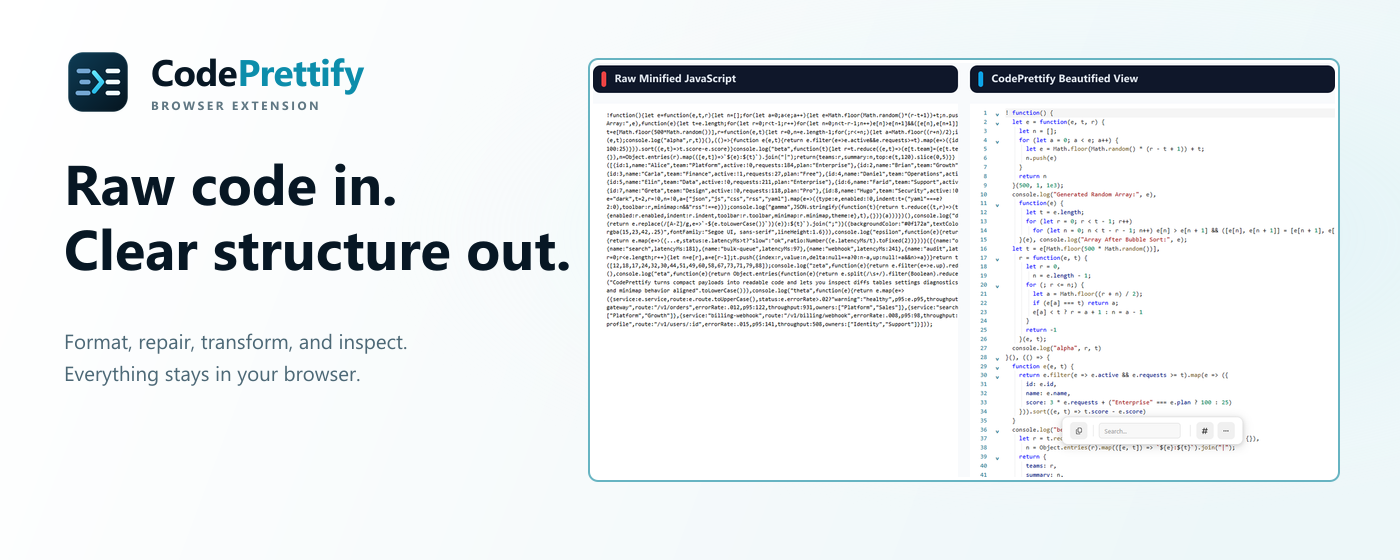
Overview
CodePrettify is a privacy-first browser extension and Windows app for making raw code, structured data, configuration, docs, and feeds easier to understand. It automatically opens supported resources in a searchable, foldable workspace where you can format, validate, compare, repair, and transform JSON; inspect schemas and paths; generate typed code; and map documents as diagrams. It also includes an HTTP client, JavaScript and regex playgrounds, security scanning, exports, and data-conversion tools. Everything runs locally unless you explicitly send a request with the HTTP Client. The Windows app adds local-file tabs, Explorer integration, CSV and HTML support, and safe Save/Save As workflows.
CodePrettify turns raw JSON, JavaScript, Markdown, XML, YAML, TOML and CSS into a searchable local workspace. Format, validate, compare, repair, visualize and generate typed models without uploading your files.
Sources behind this listingSee source links, recorded dates and owner corrections.
Observed facts come from public pages. Founder-edited facts are supplied by the verified owner. AI-inferred facts are model interpretations; derived facts are calculated from other data. A source link lets you check the current page. It does not guarantee the fact is still current.
Dates show when a record was saved. Some older records use the listing’s update date; they are not proof of a fresh check. Missing source records are shown explicitly.
- TaglineFormat, inspect & repair JSON, code, and docs locally.
- Founder-editedRecorded Source: prettify.cloud
- DescriptionCodePrettify is a privacy-first browser extension and Windows app for making raw code, structured data, configuration, docs, and feeds easier to understand. It automatically ope...
- Founder-editedRecorded Source: prettify.cloud
- Starting priceFree
- Founder-editedRecorded Source: prettify.cloud
- Free planYes
- Founder-editedRecorded Source: prettify.cloud
- Free trialNo
- Founder-editedRecorded Source: prettify.cloud
- PlatformsChrome Extension, Windows
- ObservedRecorded Source: prettify.cloud
- Company locationremote
- ObservedRecorded Source: prettify.cloud
- SummaryCodePrettify turns raw JSON, JavaScript, Markdown, XML, YAML, TOML and CSS into a searchable local workspace. Format, validate, compare, repair, visualize and generate typed mod...
- Founder-editedRecorded Source link unavailable
Key Features
- Format and inspect JSON, JavaScript, Markdown, XML, YAML, TOML, CSS, and feeds
- JSON Path, schema validation, repair, transformations, and table views
- Generate typed models and JSON Schema from JSON samples locally
- Diagram Generator with SVG, PNG, and Mermaid exports
- Semantic side-by-side diff, security scan, and client-side utilities
- HTTP client plus JavaScript and regex playgrounds for debugging
- Client-side processing: your code and payloads stay on your device
- Windows app with local tabs, Explorer integration, and CSV/HTML support
Who Is It For
Software developers and data engineers working with structured data, typically in small to medium-sized tech companies or as independent professionals.
Developers, analysts, and technical teams who inspect APIs, configs, code bundles, docs, or local structured files.
People seeking a cloud IDE, team collaboration, hosted storage, or a replacement for a full source-code editor.
Strengths & Weaknesses
Classification
Alternatives to CodePrettify
Community
No comments yet. Be the first to share your experience.